

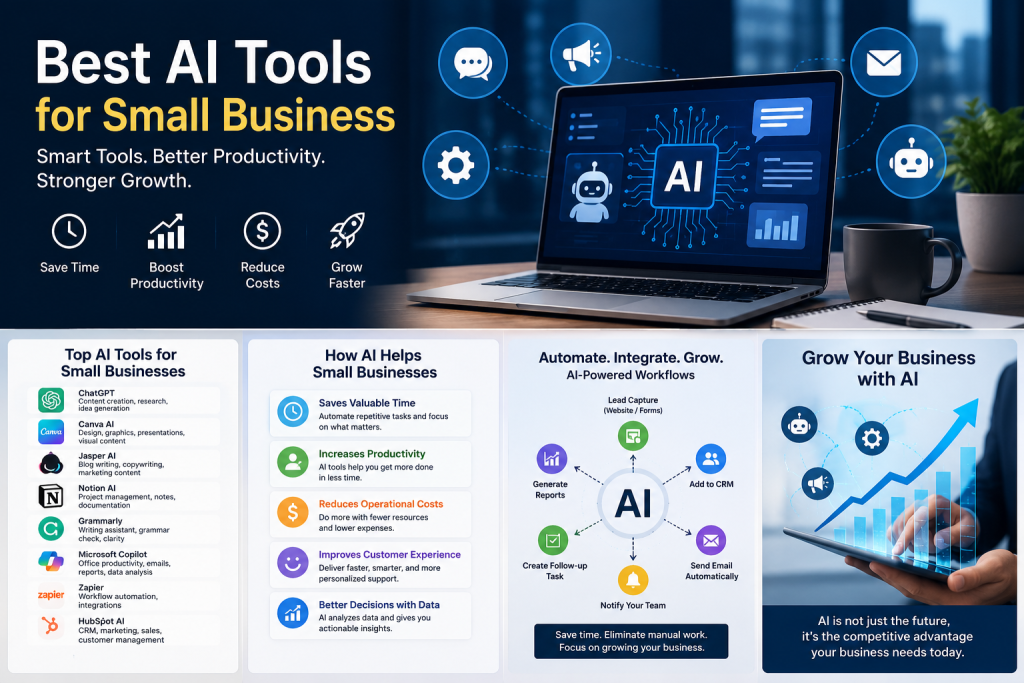
Artificial Intelligence is becoming an essential part of modern business operations. Instead of replacing people, AI helps business owners work more efficiently by handling repetitive and time-consuming tasks.
- Some of the biggest advantages include:
- Saves valuable time by automating routine work.
- Improves customer support through AI chatbots.
- Creates marketing content within minutes.
- Helps analyze business data quickly.
- Reduces operational costs.
- Enhances team productivity.
- Improves decision-making with AI-powered insights.
For small businesses with limited budgets, AI acts like an extra team member that works 24/7.
1. ChatGPT – The Ultimate AI Assistant
One of the most popular AI tools available today is ChatGPT. It helps businesses create content, generate ideas, answer customer questions, write emails, summarize documents, and much more.
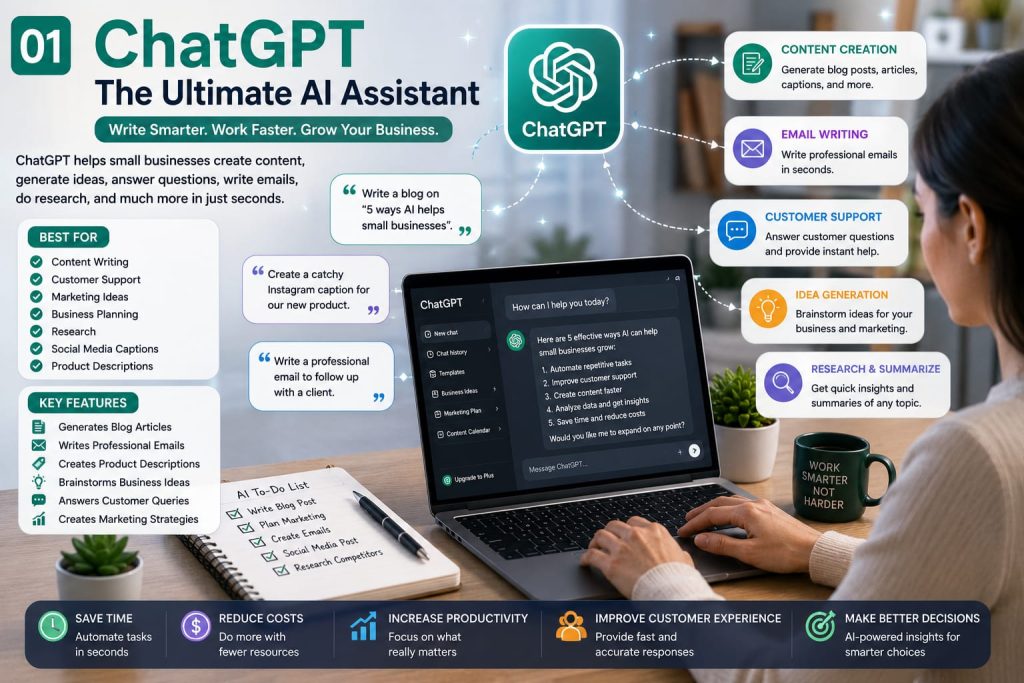
- Best For
- Content writing
- Customer support
- Marketing ideas
- Business planning
- Research
- Social media captions
- Key Features
- Generates blog articles
- Writes professional emails
- Creates product descriptions
- Brainstorms business ideas
- Answers customer queries
- Creates marketing strategies
Why Small Businesses Love It?
Instead of spending hours writing content or researching topics, business owners can complete many tasks in just a few minutes. This makes ChatGPT an excellent productivity tool for startups and entrepreneurs.
2. Canva AI – Professional Designs Without a Designer
Visual content is essential for modern businesses. Canva AI helps users create stunning graphics, presentations, advertisements, social media posts, logos, and marketing materials without professional design skills.

Best For:
- Social media marketing
- Presentations
- Posters
- Business branding
- Marketing creatives
- Key Features
- AI image generation
- Magic Design
- Background remover
- AI writing assistant
- Brand Kit
- Video editing
Why It Matters?
Hiring graphic designers for every marketing campaign can become expensive. Canva AI allows businesses to create professional visuals quickly while maintaining brand consistency.
3. Grammarly – AI Writing Assistant
Every business sends emails, proposals, blog posts, and marketing content. Grammarly ensures your writing is professional, grammatically correct, and easy to understand.

Best For
- Emails
- Blog writing
- Business communication
- Reports
- Website copy
- Features
- Grammar correction
- Tone suggestions
- Clarity improvements
- AI rewriting
- Plagiarism checker (Premium)
- Business Benefits
Professional communication builds trust. Grammarly helps businesses avoid embarrassing grammar mistakes while improving the overall quality of written content.
4. Notion AI – Organize Everything in One Place
Managing projects, documents, ideas, and meetings can become overwhelming for growing businesses. Notion AI combines productivity with AI-powered assistance.

Best For:
- Team collaboration
- Project management
- Meeting notes
- Knowledge base
- Documentation
- Features
- AI summaries
- Task management
- Document generation
- Meeting notes
- Workflow organization
Why Businesses Use It?
Instead of switching between multiple productivity apps, teams can manage everything from one centralized workspace.
5. Jasper AI – AI Content Marketing Tool
If content marketing is part of your business strategy, Jasper AI can significantly speed up content creation.
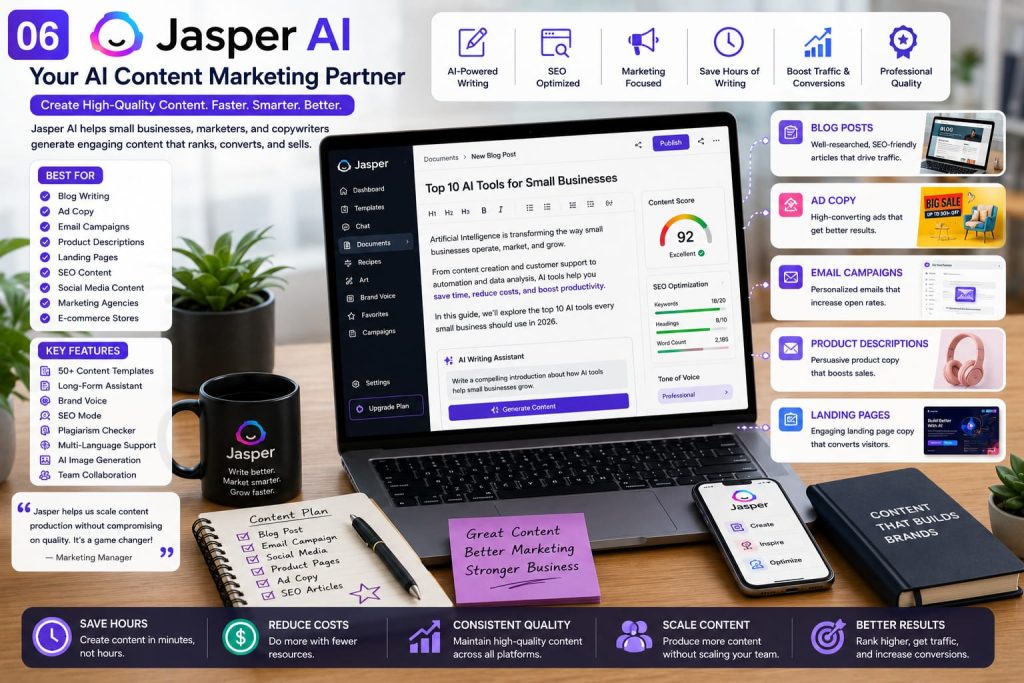
Best For:
- Marketing agencies
- Bloggers
- E-commerce stores
- Copywriters
- SEO teams
- Features
- Blog writing
- Ad copy
- Email campaigns
- Landing pages
- Product descriptions
- Business Advantage
Jasper helps businesses maintain consistent marketing content across different platforms while saving countless hours of writing.
6. Microsoft Copilot – Your AI Productivity Partner
Microsoft Copilot is an excellent choice for businesses that already use Microsoft 365. It integrates seamlessly with applications like Word, Excel, Outlook, PowerPoint, and Teams, making everyday work faster and more efficient.

Best For:
- Office productivity
- Data analysis
- Email management
- Report creation
- Team collaboration
- Key Features
- Drafts professional emails in Outlook
- Creates presentations in PowerPoint
- Summarizes long documents in Word
- Analyzes spreadsheets in Excel
- Generates meeting summaries in Teams
Why Small Businesses Should Consider It
Instead of spending hours formatting reports or organizing spreadsheets, Copilot helps complete these tasks in minutes. It allows business owners and employees to focus more on strategy and customer relationships rather than repetitive office work.
7. Zapier AI – Automate Repetitive Tasks
Running a business often involves switching between multiple apps every day. Zapier AI connects thousands of applications and automates repetitive workflows without requiring coding skills.

Best For:
- Workflow automation
- Lead management
- Marketing automation
- CRM integration
- Productivity improvement
- Key Features
- Connects 7,000+ apps
- Automates repetitive workflows
- AI-powered workflow suggestions
- No coding required
- Saves hours of manual work
Example
Imagine a customer fills out a contact form on your website. Zapier can automatically:
- Save the lead in your CRM
- Send a welcome email
- Notify your sales team
- Create a follow-up task
Everything happens automatically.
8. HubSpot AI – Smarter Marketing & Customer Management
HubSpot has become one of the most trusted business platforms for customer relationship management (CRM), marketing, and sales. Its AI features make managing leads and customer interactions much easier.
Best For:
- Marketing
- Sales
- CRM
- Customer service
- Email campaigns
- Key Features
- AI email generation
- Marketing campaign suggestions
- Customer insights
- Lead management
- Sales forecasting
Why It Matters?
Small businesses often struggle with keeping track of customers. HubSpot AI helps organize customer data while improving communication and increasing sales opportunities.
9. Perplexity AI – Fast Research Made Simple
Business owners frequently need accurate information for research, competitor analysis, and content planning. Perplexity AI provides quick, well-structured answers with references, making research much faster.
Best For:
- Market research
- Competitor analysis
- Learning new topics
- Business planning
- Content research
- Key Features
- AI-powered search
- Source-backed answers
- Follow-up questions
- Fast research experience
- Business Benefits
Instead of opening dozens of browser tabs, entrepreneurs can gather valuable insights within minutes and make informed business decisions.
10. Claude – AI for Long Documents
Claude is particularly useful for businesses that regularly work with lengthy documents, contracts, reports, policies, or research papers.
Best For:
- Document analysis
- Writing assistance
- Research
- Business reports
- Long-form content
- Key Features
- Understands long documents
- Summarizes reports
- Improves writing
- Answers document-related questions
Why Businesses Use It?
Reading lengthy reports can consume valuable time. Claude helps extract the most important information quickly while maintaining context.
Key Takeaways
✔ AI helps small businesses save time and reduce costs.
✔ Content creation becomes much faster with AI.
✔ AI improves marketing, communication, and productivity.
✔ Affordable AI tools allow startups to compete with larger businesses.
✔ Choosing the right AI tools depends on your business goals.
How to Choose the Right AI Tool?
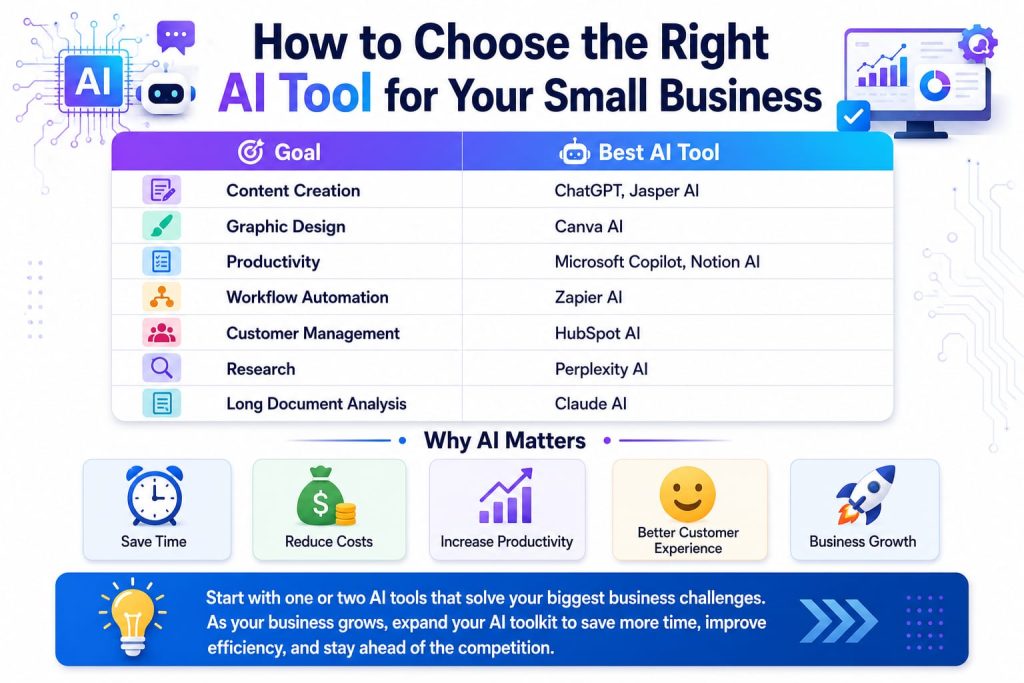
Not every business needs every AI tool. The best choice depends on your goals.
- If your goal is content creation:
ChatGPT
Jasper AI
- If your goal is graphic design:
Canva AI - If your goal is productivity:
Microsoft Copilot
Notion AI
- If your goal is automation:
Zapier AI
- If your goal is customer management:
HubSpot AI
- If your goal is research:
- Perplexity AI
The smartest strategy is to start with one or two tools, learn how they fit into your workflow, and expand gradually as your business grows.
Common Mistakes Small Businesses Should Avoid
Many businesses adopt AI with unrealistic expectations. While AI is powerful, it delivers the best results when used thoughtfully.
Forgetting the importance of human creativity.
Avoid these common mistakes:
Depending on AI without reviewing the output.
Ignoring data privacy and security.
Using too many AI tools at once.
Choosing tools without clear business objectives.
AI should support your team—not replace human judgment.
Frequently Asked Questions (FAQs)
Are AI tools expensive for small businesses?
Not necessarily. Many AI tools offer free plans or affordable subscriptions, making them accessible even for startups and freelancers.
Can AI replace employees?
- AI is designed to assist people by automating repetitive work. Human creativity, decision-making, and relationship-building remain essential.
Which AI tool is best for beginners?
- ChatGPT and Canva AI are among the easiest tools for beginners because they have intuitive interfaces and can be used for a wide range of business tasks.
Is AI safe for business use?
- Yes, provided you use trusted platforms, protect sensitive information, and follow good cybersecurity practices.
Final Thoughts
Artificial Intelligence is no longer a luxury—it has become a practical business tool. From creating content and designing graphics to automating workflows and improving customer relationships, AI enables small businesses to achieve more with fewer resources.
The key is not to adopt every new AI platform but to choose tools that solve real business problems. Even introducing one or two well-chosen tools can improve productivity, reduce manual work, and create a better experience for your customers.
As AI technology continues to evolve, businesses that embrace it thoughtfully will be better prepared to adapt, compete, and grow in an increasingly digital world.